
Cool gear: Evoko Room Manager

Year after year, we observe an increasing interest in room booking systems. On this occasion, it is worth introducing one of the first solutions of this type on the market, which is still one of the most frequently chosen in Europe.
Dear Readers – before you is the Evoko Room Manager.
The facts speak for themselves – just a few years ago at the ISE trade fair in Amsterdam, Evoko was the only representative of room management systems. In 2016, there were already many such solutions. Not only did new players appear on the market, but it was noticeable that several more well-known brands had taken up the challenge.
What is a room management system?
Almost every company has a place in its headquarters, usually a separate room, where you can meet with colleagues, contractors, or clients. The more employees there are, the more such rooms are needed, and that is when problems begin.
– Which room is currently free?
– I had a meeting scheduled, but someone came earlier and took my room…
– Please wait a moment, I will go and find a room where we can talk in peace.
– Someone walked in on me again in the middle of a meeting and asked when we would vacate the room.
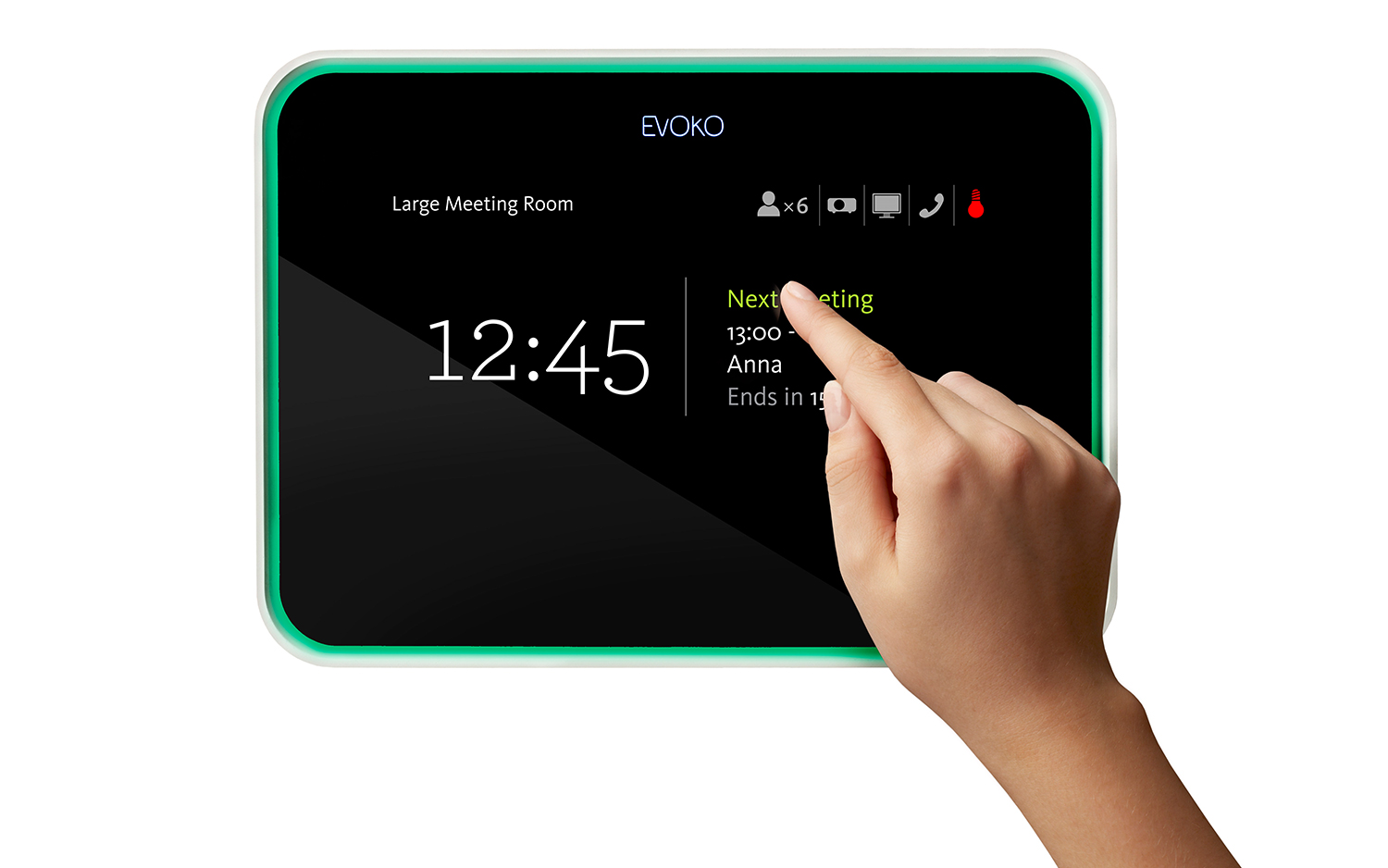
When the number of conference rooms exceeds three, real chaos begins. The solution to this problem is conference room booking systems – such as the Evoko Room Manager. They primarily allow for clear signaling of room occupancy and management of the room booking schedule (calendar). Key elements also include remote booking/cancellation of meetings (via calendar) and booking/cancellation from the panel at the entrance to the room. The most visible element of a room booking system (but not the only one) is the panel, usually a touchscreen, which is located at the entrance to the room. It must clearly signal the status of the room. All these functions and much more can be found in the Evoko Room Manager.
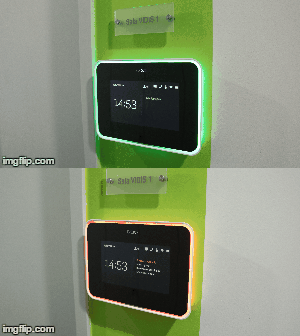
What makes Evoko stand out? First of all, its highly refined design – both of the housing and the interface. This solution has been on the market for many years and has been constantly developed throughout this time. An ideal example is the clear device interface – the result of many years of work by designers – developed in cooperation with users. A fantastic solution is also the wall illumination around the device (a bit like Ambilight from Philips TVs). Thanks to this, you can see at a glance whether the room is free or occupied; green lighting signals that it should currently be empty, while red indicates that the room is already booked.
Taking everything into account – the product is designed in such a way that even a beginner user will have no problems with operation.
Configuration
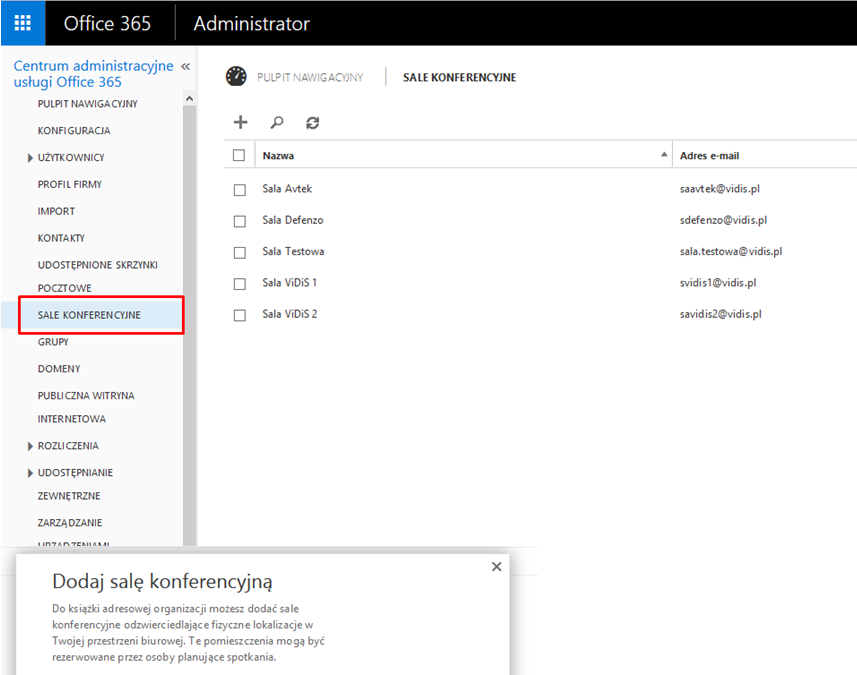
Integration with the Microsoft Office suite is also very intuitive – and this is also true from the installation side. We start the Evoko configuration by creating a so-called resource account on the Office365 / Exchange server in the Office administrator panel. In the latest Office 365, this is solved even more intuitively – instead of a resource, we simply create a conference room account. This is a very important stage of configuration, as the calendar assigned to a specific account will be the main calendar used by Evoko.
The idea is simple: Evoko does not create a separate ecosystem requiring implementation, additional software tools, and training. It is simply an intelligent display of the calendar assigned to a conference room in the office suite that employees use and are accustomed to.
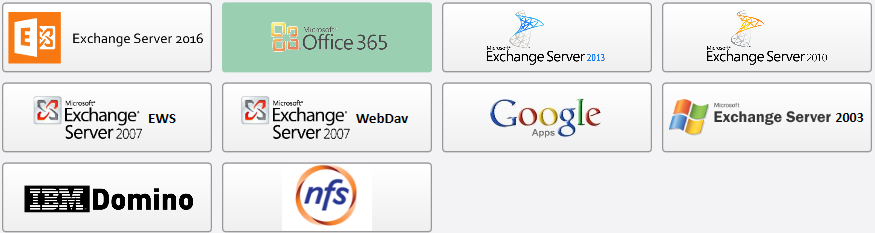
If we are on the topic of support for Microsoft Office, it is worth mentioning other office suites / systems that are supported by Evoko. If your company, or your client’s company, operates based on, for example, the Lotus suite or Google Apps for Business – then Evoko will also integrate with them. The full list of supported systems is below. Having one of the listed ones is a necessary condition for using the full functionality of the Evoko Room Manager solution.
If we have already configured the room account from the office suite level, it is time to prepare the Evoko panel. Uploading settings to the Room Manager should not cause the administrator or installer the slightest problem. To prepare the file with the first configuration, a very intuitive program is used: Evoko Control Panel, which will guide us step by step through the individual configuration stages.
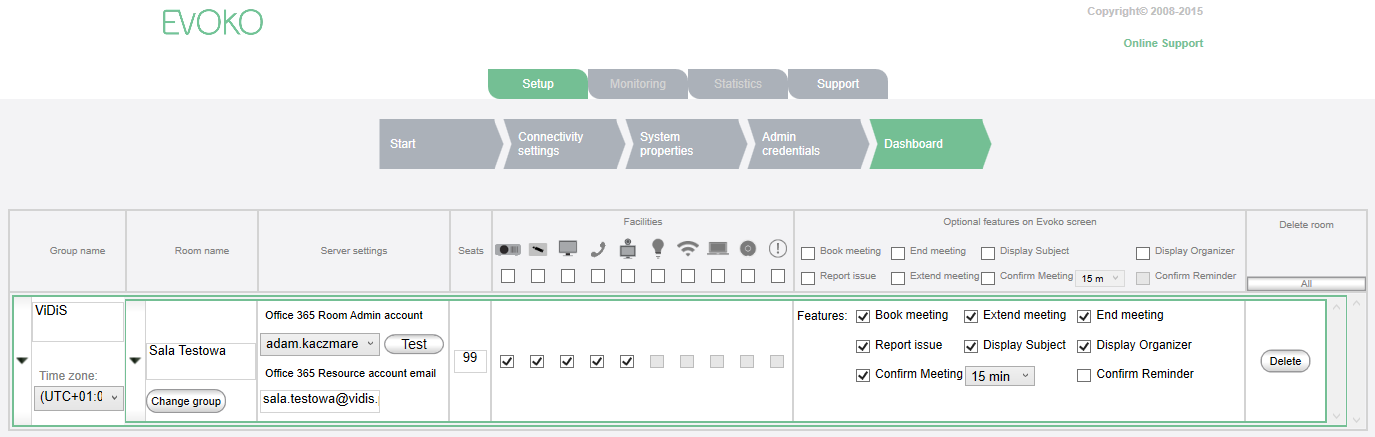
At one of the last stages, we can also assign some additional information to our room that office suites do not support, but which will be visible on the Evoko panel, e.g., room capacity or available equipment.
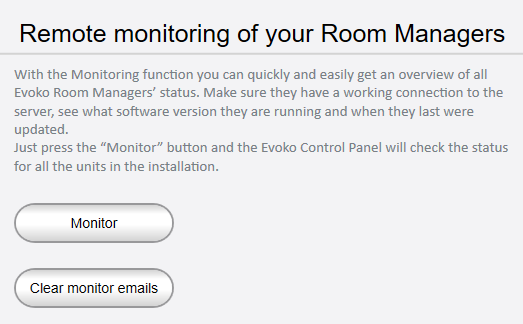
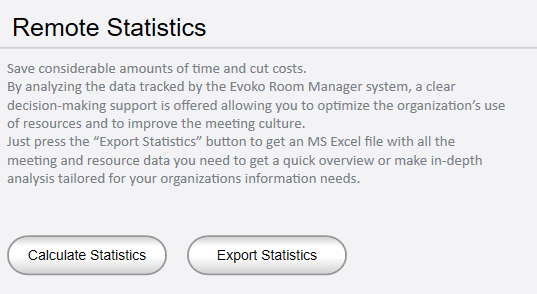
One of the last steps is to upload the configuration file to a USB memory stick (a regular flash drive), which should then be connected to the Evoko and the device started. The configuration will load automatically. To make it even simpler – every subsequent change can be made remotely by the network administrator / IT department via the local network. The Evoko Control Panel also provides tools for monitoring Evoko units on the local network or creating statistics regarding conference room bookings.
Booking meetings
What does booking meetings look like? The user has two basic solutions – they can do it directly from the Evoko panel, where they book an ad hoc meeting for the next few hours. The screen is a touchscreen – so just touch the screen for the available options to appear.
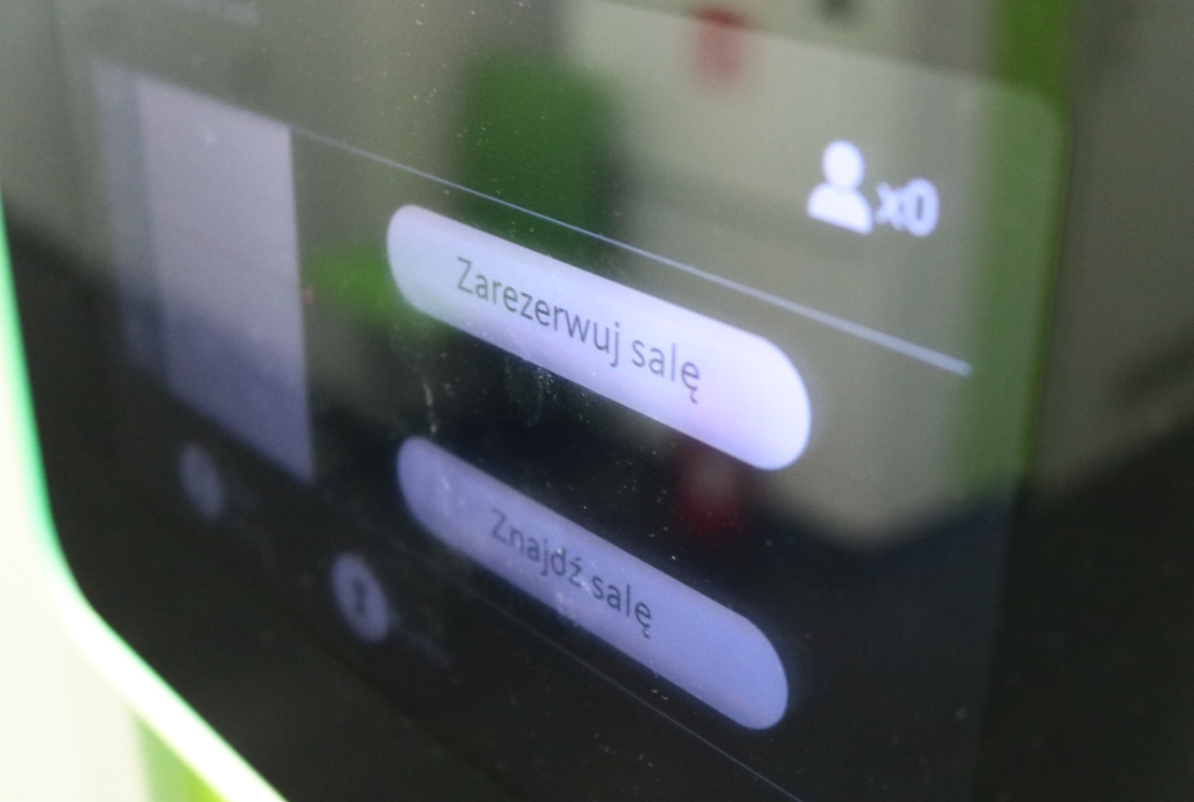
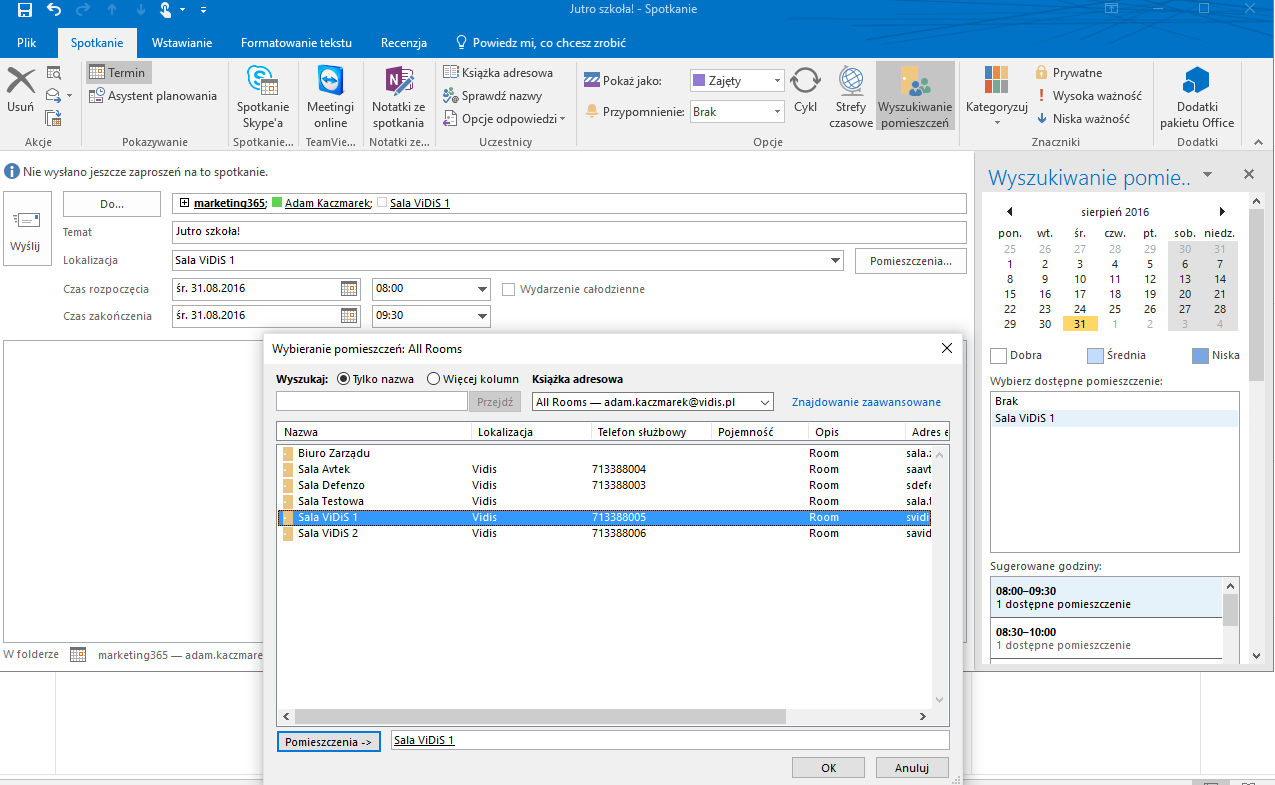
The second method, i.e., planning meetings in the longer term, requires using a calendar. And so, using, for example, Outlook, you can go to your personal calendar, select the date, time, participants, and the room where the meeting will take place. Sending an invitation will automatically book the room in the Evoko panel. We can also go directly into the conference room calendar and view the room schedule there to choose the appropriate meeting time.
How much can you save?
Convenience and clarity are one thing. The second thing is the savings we can achieve by better managing room booking time at the headquarters and employee time, eliminating, for example, empty bookings or time wasted looking for a free room. Can we check how quickly the purchase of Evoko will pay off? Of course we can! Clicking on the diagram below will take us to a special Excel form, after filling which a detailed report will be generated on how much we will save on better room management in our company.
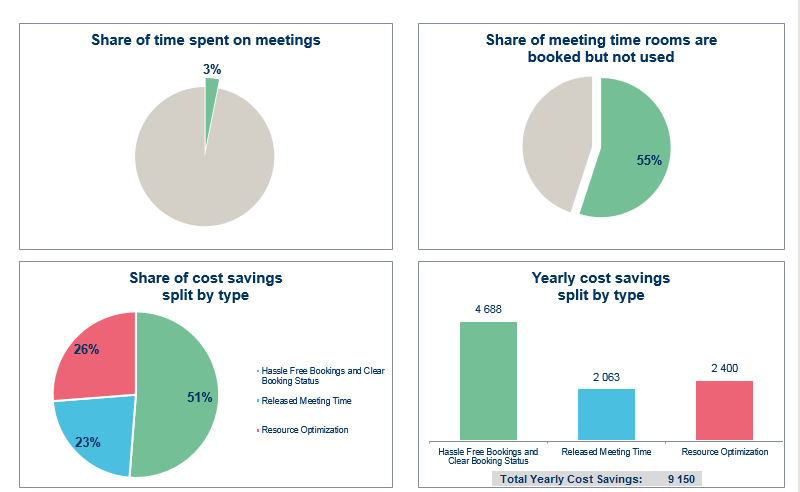
For us, Evoko paid for itself after 14 months, and for you?