
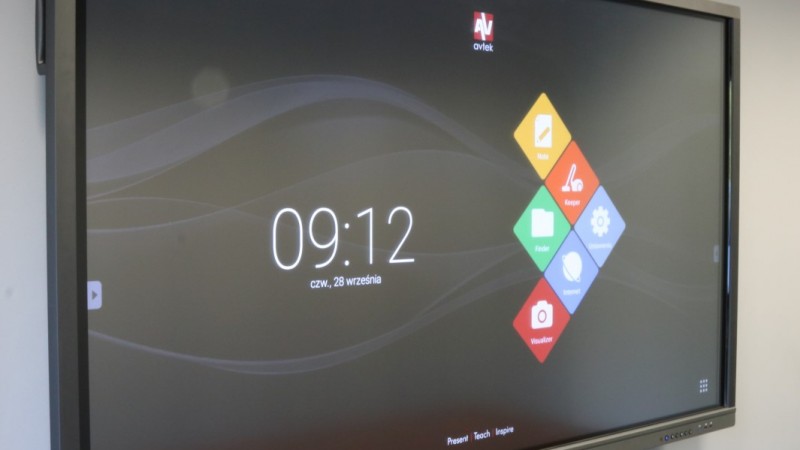
Avtek Touchscreen Pro4K – preview

Avtek Touchscreen is a recognized brand in the world of interactive displays. The first model, simply named Touchscreen 65″, debuted in 2013 and proved to be a bullseye – for a price not much higher than an interactive set containing a board and a projector, education received a solution that was much more modern and cheaper to maintain. 4 years and 3 subsequent series have passed since then. A lot has changed, and even more will change, thanks to the new Touchscreen Pro4K series.
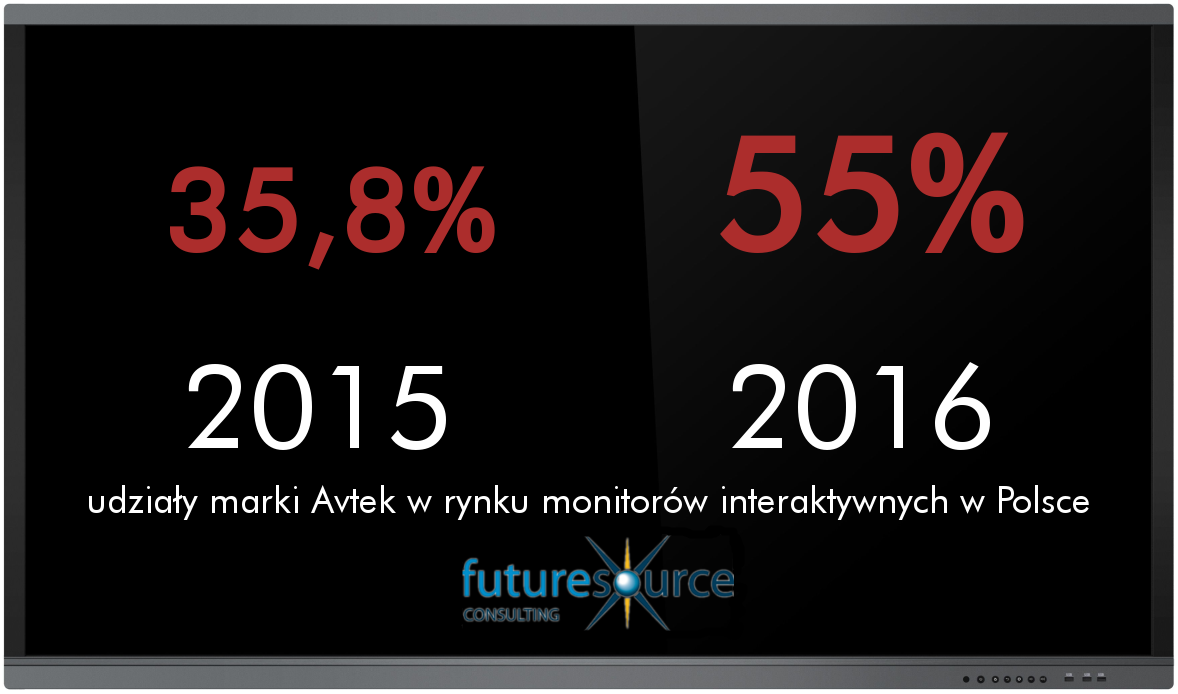
Currently available series – Pro and Pro2 are among the most popular interactive displays in Poland. This is confirmed by the numbers – according to the Futuresource report, in 2016, a record year for interactive display sales in Poland, Avtek displays accounted for more than half of the devices sold!
Why? The extremely favorable price-to-quality ratio is particularly noteworthy here. Being one of the cheapest solutions available on the market, the Avtek TS Pro offered high Full HD image quality in the most popular sizes – 55 and 65 inches, a built-in functional Android module, an optional OPS computer, and a large number of connectors – all enclosed in an extremely durable and aesthetic aluminum housing. Reliability is also noteworthy – according to official service statistics, the failure rate of the Pro series displays does not exceed half a percent, and most problems can be solved remotely.
New series – Pro4K
Technology, however, is moving forward, and with it, user requirements are increasing. In more and more households, you can find a 4K resolution TV equipped with a convenient Smart TV operating system. The main reason for the growing popularity of these solutions is the price decreasing year by year – such solutions are already not much (if at all) more expensive than ordinary Full HD resolution TVs, while offering convenience and support for materials in higher resolutions.
Taking into account the reason for the success of previous models, as well as current market conditions, before starting work on the new series of interactive displays, one key assumption was made:
The new Avtek Touchscreen series supporting 4K is to be a technological leap, not a price one.
…and considering the first reactions during demonstrations and initial interest – the plan was 100 percent successful!

Pro4K – basic information
The Pro4K series will debut in the last quarter of 2017 and will initially consist of 2 models – 55 and 65 inches. The Pro3 series will also debut in parallel, but that is a topic for a separate article. The displays will be available at prices very similar to the Pro2 series, so most users who did not manage to get the previous model and decide on the new series will not feel much of a difference in their pockets. In the following year, it is also planned to introduce other sizes within the series – 75 and 84 inches.
The Pro4K series consists of 2 models: 55 and 65 inches.
We will not write about technical information, instead, we have prepared for you extremely detailed specifications and technical drawings describing the 2 available Pro4K models.
Avtek Touchscreen Pro4K – specification
Avtek Touchscreen Pro4K 55″ – technical drawing
Avtek Touchscreen Pro4K 65″ – technical drawing
Pro4K – external appearance
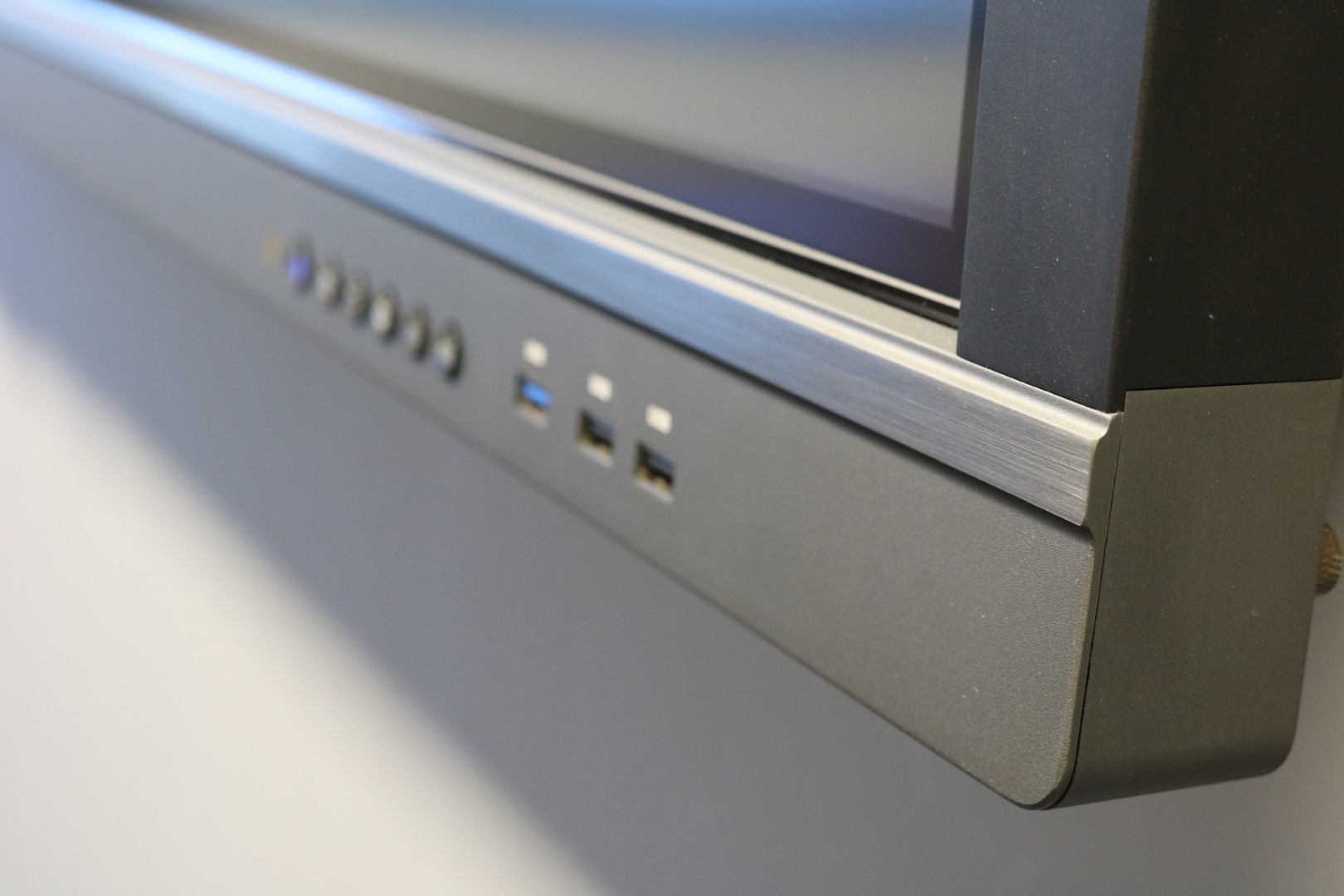
The new displays differ from their predecessors at first glance thanks to a redesigned housing. In this case, we can definitely call the changes an evolution, not a revolution. The most important feature, however, has remained unchanged – the Avtek Touchscreen housing consists of solid and durable materials, and the front is finished with aesthetic aluminum. In terms of appearance, photos will speak best, and we have plenty of them for you in the gallery at the top of the post.
Pro4K – the most interesting changes
4K / UHD resolution
Both models are equipped with high-class LG matrices with a native resolution of 3840 x 2160 – referred to as UHD, and more often – 4K. Moreover, these matrices support 60 Hz refresh rate for their native resolution, which gives sensational results in terms of the smoothness of the displayed image.
4K resolution is the future, which has already settled on the market of TVs or desktop monitors, and is also increasingly bold among projectors. However, the question often arises – is it worth investing in interactive displays offering such resolution? Definitely yes! Because higher resolution means:
- better overall image quality and higher detail – 4K makes a special impression up close, and working at an interactive display somehow forces a small distance from the image,
- technology of the future – on the internet, in studios there are more and more materials or films dedicated to this resolution,
- small difference in price – and here the Pro4K series is the perfect example.

Comparison of 4K resolution with Full HD
New Android = new features
Along with the 4K matrix, a new Android module with system version 5.1 will also appear in the new Avteks. You will find the full hardware specification of the module in the previously attached file. However, it must be added that the new Android is not only faster and more aesthetic (new start screen + new Home screen), but brings with it several interesting features.

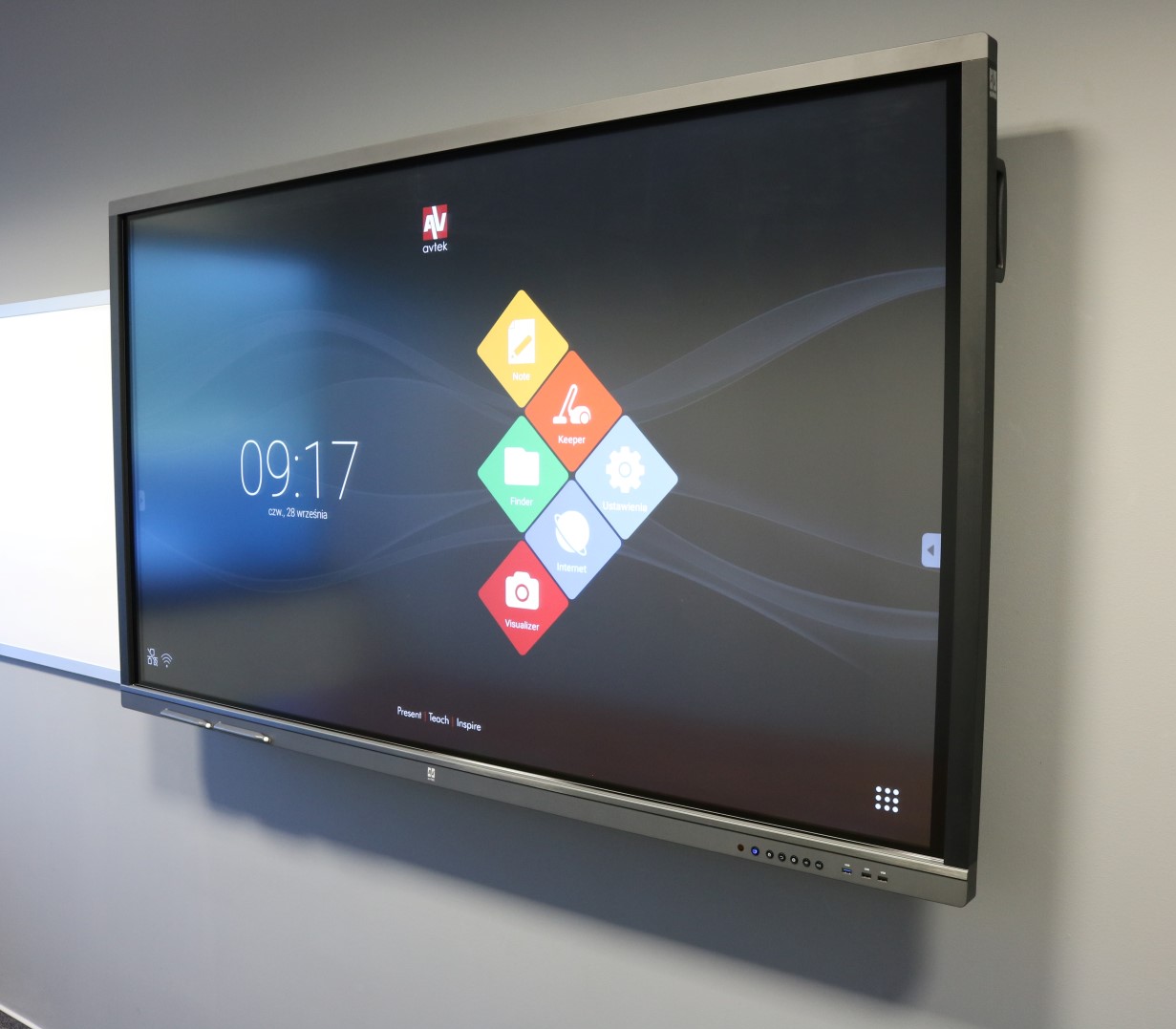
Home screen of the Android module in the Pro4K series
At hand will now be not only a new tool for taking notes on any source, but also tools such as: Spotlight, Timers and Stopwatch or Voting mode. The most interesting novelty is definitely the latter, which allows the presenter to quickly summarize the topic through a survey at the end of the class or presentation.
Especially for you, we have prepared a detailed description of the Voting tool, as well as instructions for the presenter and participants. We invite everyone interested in how it works to download the materials below.
Avtek Touchscreen – Voting Tool – description and manual
New set of ports
This is basically a series of improvements including, among others, a refreshed set of available connectors, as well as extended support for newer standards. The most important changes are:
- HDMI output (previously VGA output). The output port is an extremely useful thing in two scenarios – recording classes (and what is happening on the monitor) and when there is a need to transmit the image from the monitor to another external display – e.g., a projector in a large auditorium. In the case of HDMI output, one cable is enough to send both image and sound. Additionally, the manufacturer has ensured that it is possible to pass on the image fed to the monitor, e.g., through an analog VGA connector.
- new OPS connector. OPS computers compatible with the Pro1 and Pro2 series will not be able to be installed in the new Avtek monitors. The reason is the new bus supporting 4K resolution with 60Hz refresh rate (previously 4K was also supported, but with refresh rate up to 30Hz).
- 2 USB Touch ports. An interesting novelty allowing for the connection and simultaneous use (without mutual interference) of two external computers without switching the USB cable. Just change the source, and Avtek will automatically switch not only the image and sound, but also the touch.
- More digital connectors, fewer analog ones. In the previous generation of monitors, we dealt with three sets of VGA + 3.5 mm minijack connectors. In the Pro4K series, there are as many as 3 HDMI ports and 1x DisplayPort available. Only one VGA + 3.5mm minijack connector set remained.
- Additional slots for the Android+ module and wi-fi card. Although initially unavailable, accessories for the Pro4K series will be released for sale at a later date – including an even faster Android module and a dedicated wi-fi card.
- Shared USB ports on the front of the monitor. A small but sensible improvement allowing for connecting a USB memory to any port on the front of the monitor and gaining access to the files saved there regardless of the selected source (built-in OPS computer or Android).
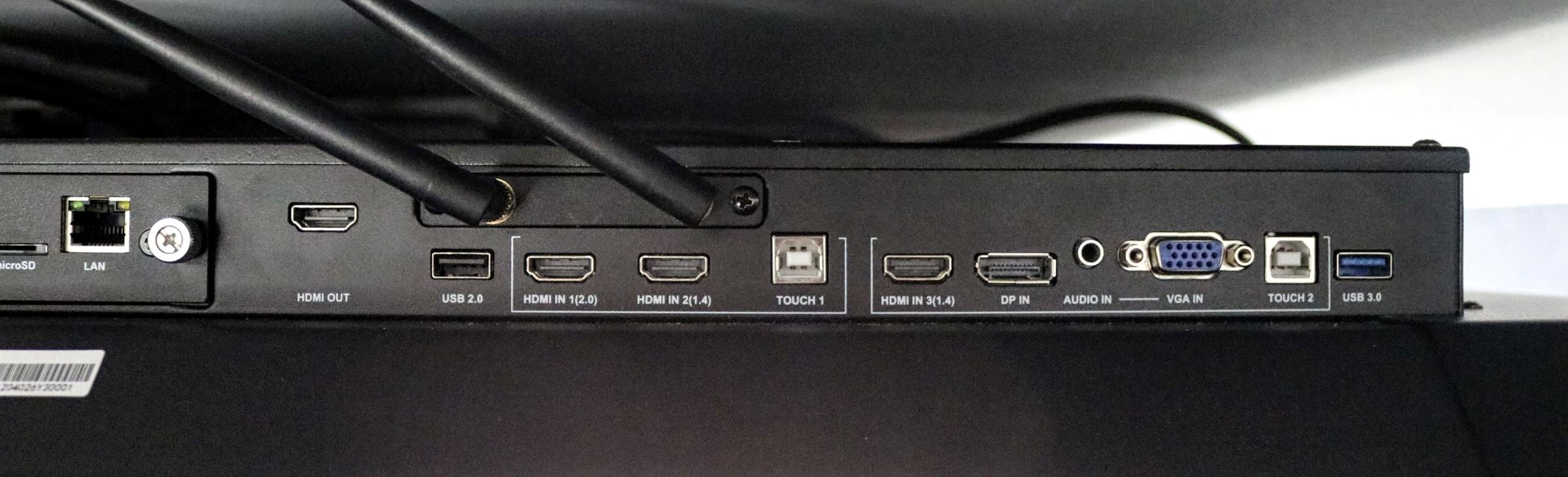
Ports located on the right side of the monitor
Software included
Until now, software for an interactive monitor (e.g., Avtek Interactive Suite or RM Easiteach) was optional. In the Pro4K series, basic software for the Windows system will be added to the set with the monitor at no extra charge! We are talking about Easinote – simple, but extremely functional software in Polish. Interestingly, this software will fully cooperate with the note-taking software pre-installed on the Android module. This will allow for the exchange of editable files – e.g., starting a topic on the Android Note, and finishing on the Windows Easinote – or the other way around.
Trial version of Easinote software
The software will also include applications for transferring images from the Windows system (installed, for example, on an OPS computer) to mobile devices, such as tablets or smartphones.

That’s not all!
The new series brings with it definitely more changes, but so as not to delve into the smallest details, we allowed ourselves to create clear comparisons that will show the most significant changes that have occurred compared to previous series. If you are looking for a detailed comparison, we encourage you to read the materials below!
Comparison of Avtek TS Pro 55″ monitors
Comparison of Avtek TS Pro 65″ monitors
Summary
Interactivity in Polish education is currently (beginning of Q4 2017) a very hot topic. Programs such as Active Board have clearly indicated the direction in which the equipping of schools with didactic tools is heading. And although the most popular solutions are still the cheaper ones, i.e., Interactive Sets with a board and a projector, there is a rapidly growing interest in newer solutions, which are interactive monitors. Why? There are many answers: they are cheaper to maintain, do not require darkening the room, are more user-friendly, and their operation very much resembles the smartphones that everyone knows perfectly well.
That is why interactive monitors have a much greater chance of becoming classroom “learning centers”, where all materials are at hand, and everyone can use them – regardless of age or familiarity with new technologies.
It is with this conviction that the Pro4K series was created – a modern tool for education and business, which has all the predispositions to become a modern center of education and interactive presentation.
For lovers of presentations and slides, we have also prepared a short PowerPoint presentation which is a concise summary of this preview.
Questions and answers
- Will old OPS computers fit the Pro4K series?
Unfortunately not. It will not work the other way around either (new OPS computers will not fit Pro1 and Pro2 monitors).
- Will it be possible to use inexpensive wi-fi modules in the Pro4K series to get internet on Android?
Of course! The topic we described regarding “old” series is current. Just a cheap wi-fi card connected via USB is enough to get a wi-fi connection on Android. Of course, you will also be able to use the LAN connector located on the monitor housing.
- Will the installation of the Windows system on OPS computers proceed in the same way?
Yes. There is no difference. Detailed instructions available in a separate topic.
- I noticed a completely new tool for taking notes on any source – will it be possible to restore the old toolbar?
Absolutely – the appropriate option will be found in the Android system settings.
- Will it be possible to install applications from the Google Play store?
The new Android will not have the Google Play store installed, nor will it have integration with a Google account. However, it will still be possible to install applications “manually”, using .apk files (instructions available in our service department). Additionally, the more powerful components of the new module will allow for better performance of more advanced applications.