How to change the color wheel in Vivitek projectors?

One of the most interesting brands in the ViDiS offer is Vivitek. This manufacturer focuses on the production of projectors – from pocket devices of the Qumi series, to large installation machines from the D8800 or DU9000 series.
Today we will focus on installation projectors, and more specifically on one of their very interesting features – the ability to change the color wheel (sometimes also called the color wheel).
This feature is all the more important because Vivitek included a replaceable color wheel among the standard accessories supplied with each projector in its D68xx and D8800 installation projector series.
 موجز
موجزWhy are there two color wheels?
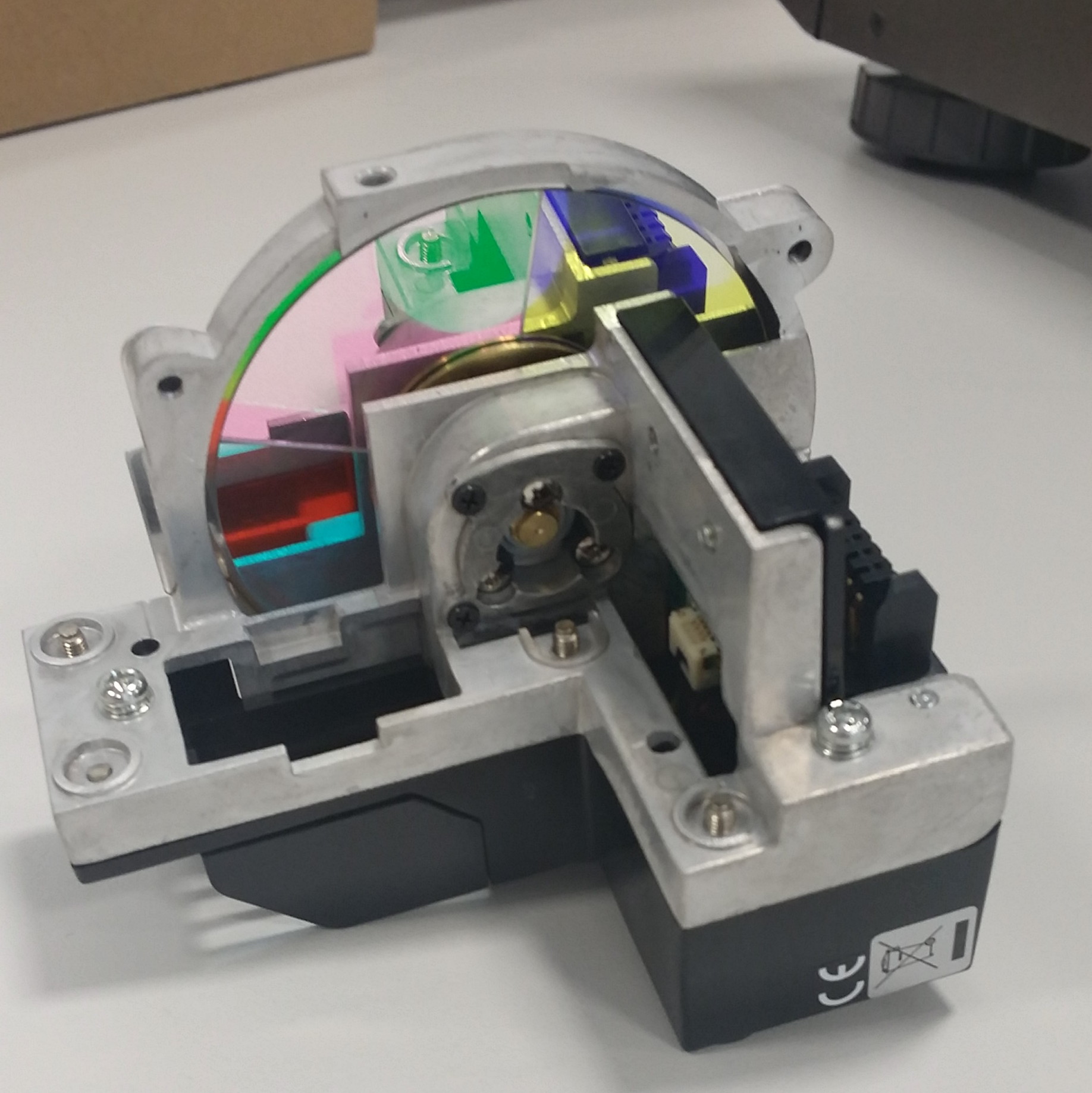
Generally, what a color wheel in a projector is used for can be read by the uninitiated here, while others may ask themselves: why as many as two color wheels? Well, standardly in a Vivitek projector, a color wheel is installed that allows you to obtain the highest possible lamp brightness (or lamps). The additional color wheel, which is delivered in the accessory box, due to a different segment structure allows for better color reproduction at the expense of brightness. Both color wheels have 6 segments, they differ only in the construction and color of individual elements and, of course, the marking on the casing. In this way, Vivitek gives the user the opportunity to choose between full brightness and slightly better color reproduction.
How to check which color wheel is currently installed in the projector?
Of course, if we have just taken the projector out of the box, we can be sure that inside there is a color wheel that allows you to obtain the maximum possible brightness. If we want to check this fact in a used projector, we can find it in the projector’s service menu.
Example D8800:
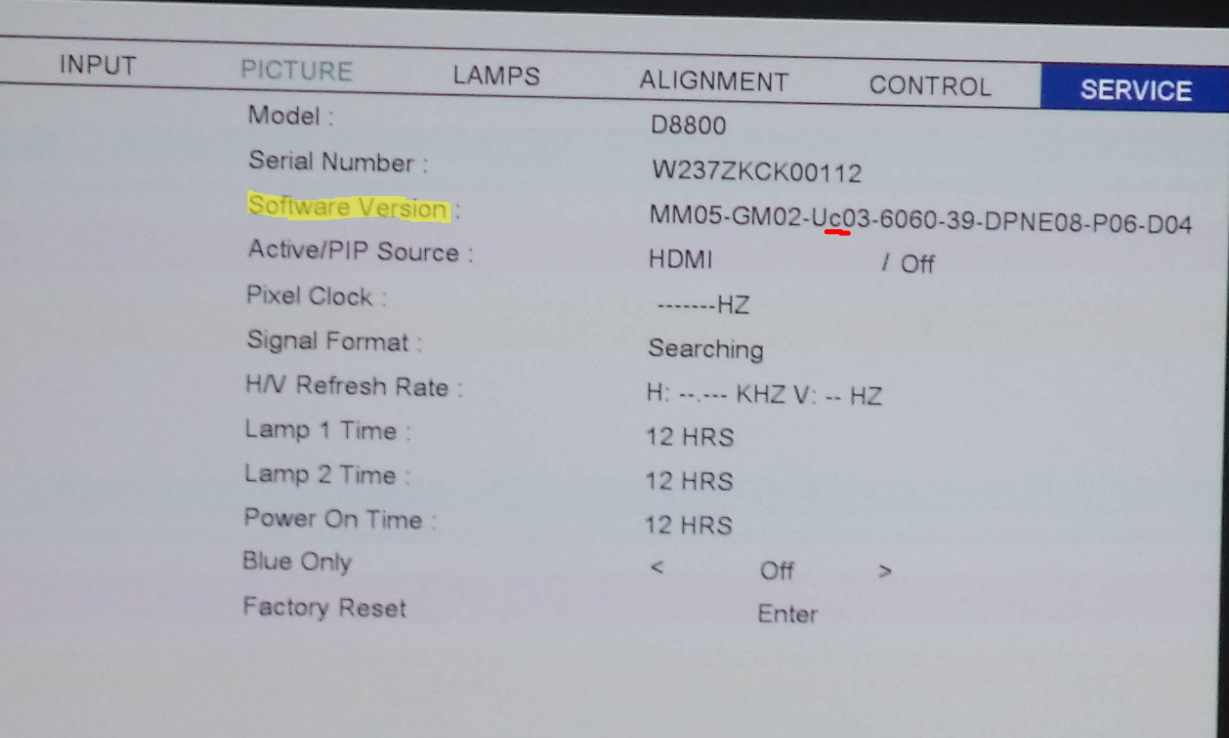 Row Software Version -> 3rd column -> letter c suggests that a color wheel with better color reproduction is installed
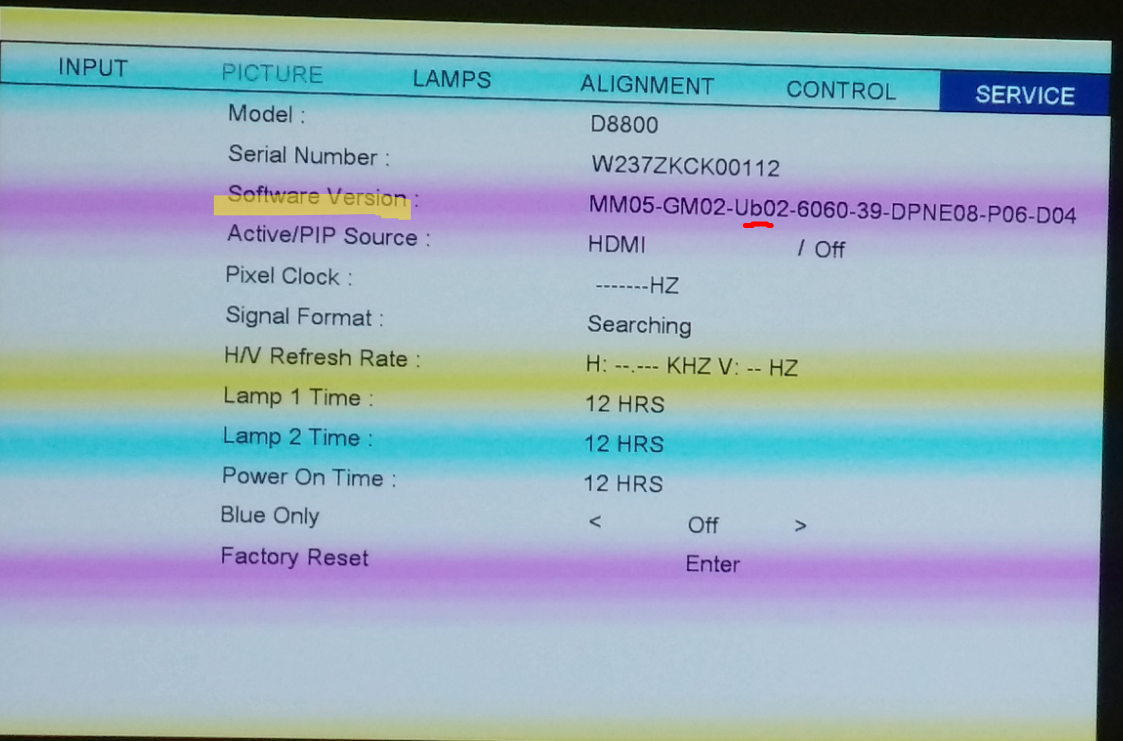
…while the letter b suggests that a color wheel allowing for maximum brightness is installed
How to tell which color wheel we currently have in our hand?
Here, unfortunately, we do not have a unambiguous nomenclature, but it is still very easy to deduce.
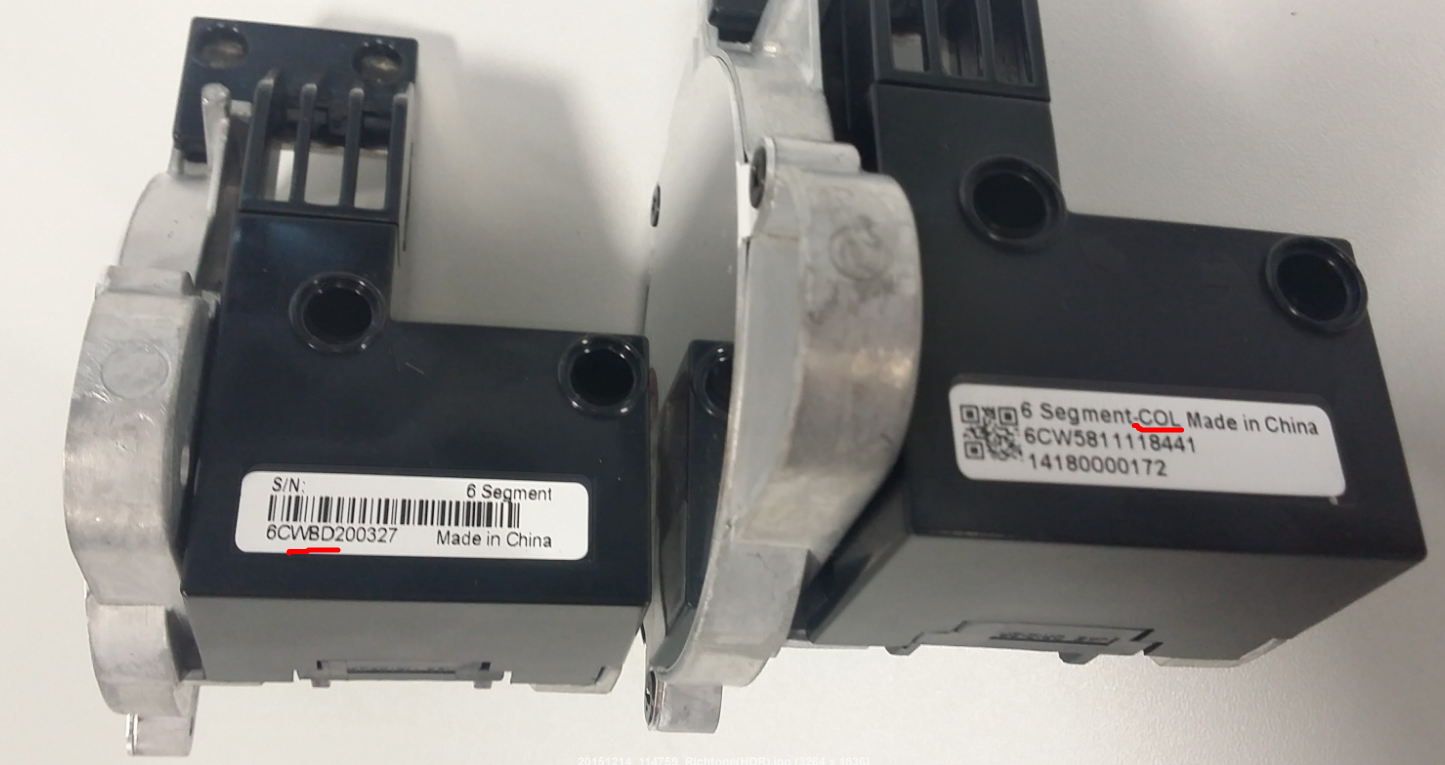 On the left side we have the first method of marking the color wheel. This is the wheel that offers maximum brightness – this is indicated by the letter B (from Brightness) in the product code. In the event that this was a wheel offering better color reproduction, the letter C (from Color) would appear instead of the letter B.
On the right side we have a more unambiguous indication – COL (from Color) means that this color wheel will allow for more vivid colors. In the case of the second type of wheel – COL will replace BRG (from Brightness).
How to replace the color wheel?
Caution! Viviteks are adapted for quick and trouble-free replacement of the color wheel. Nevertheless, this activity requires “opening” the projector, so it is absolutely necessary to disconnect the device from the power source and wait a moment for the lamps to cool down (1-2 minutes should be enough).
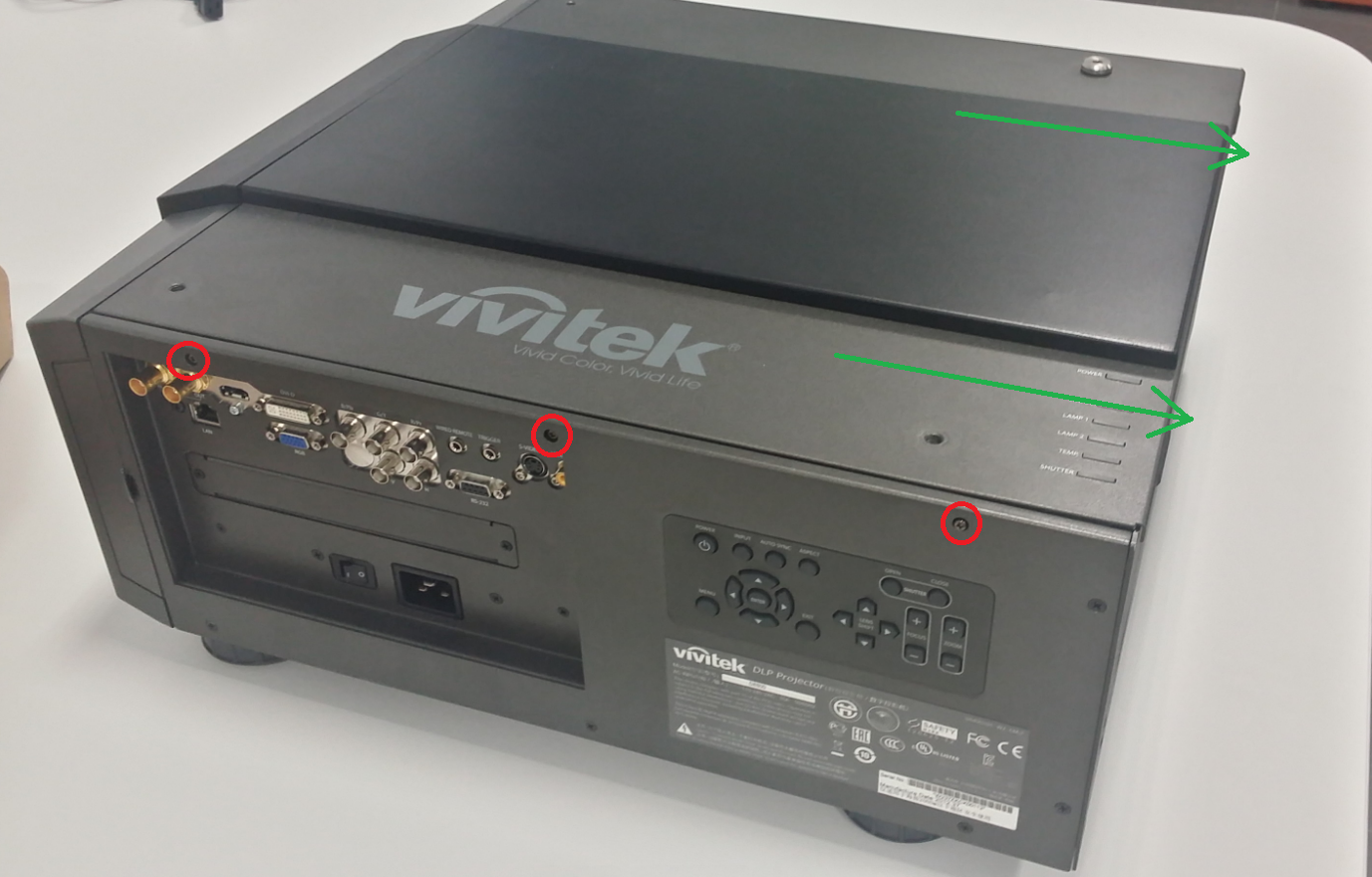
- To get to the color wheel module, remove the upper cover by unscrewing the screws located on both sides of the projector (e.g. D8800) or on the back (e.g. DU9000). You do not need to unscrew the Allen screws on the top cover. Then slide the metal plate towards the back of the projector.
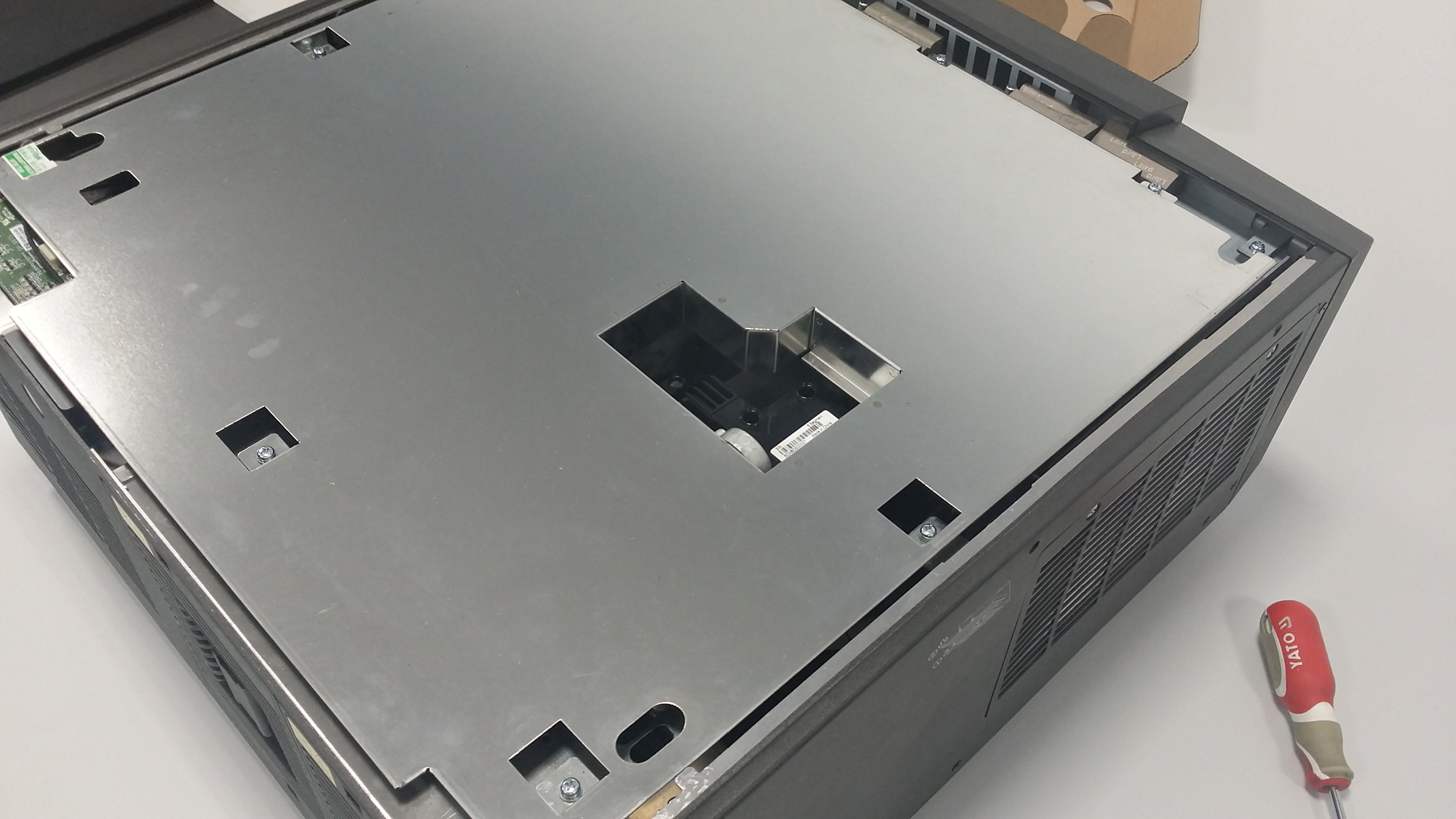
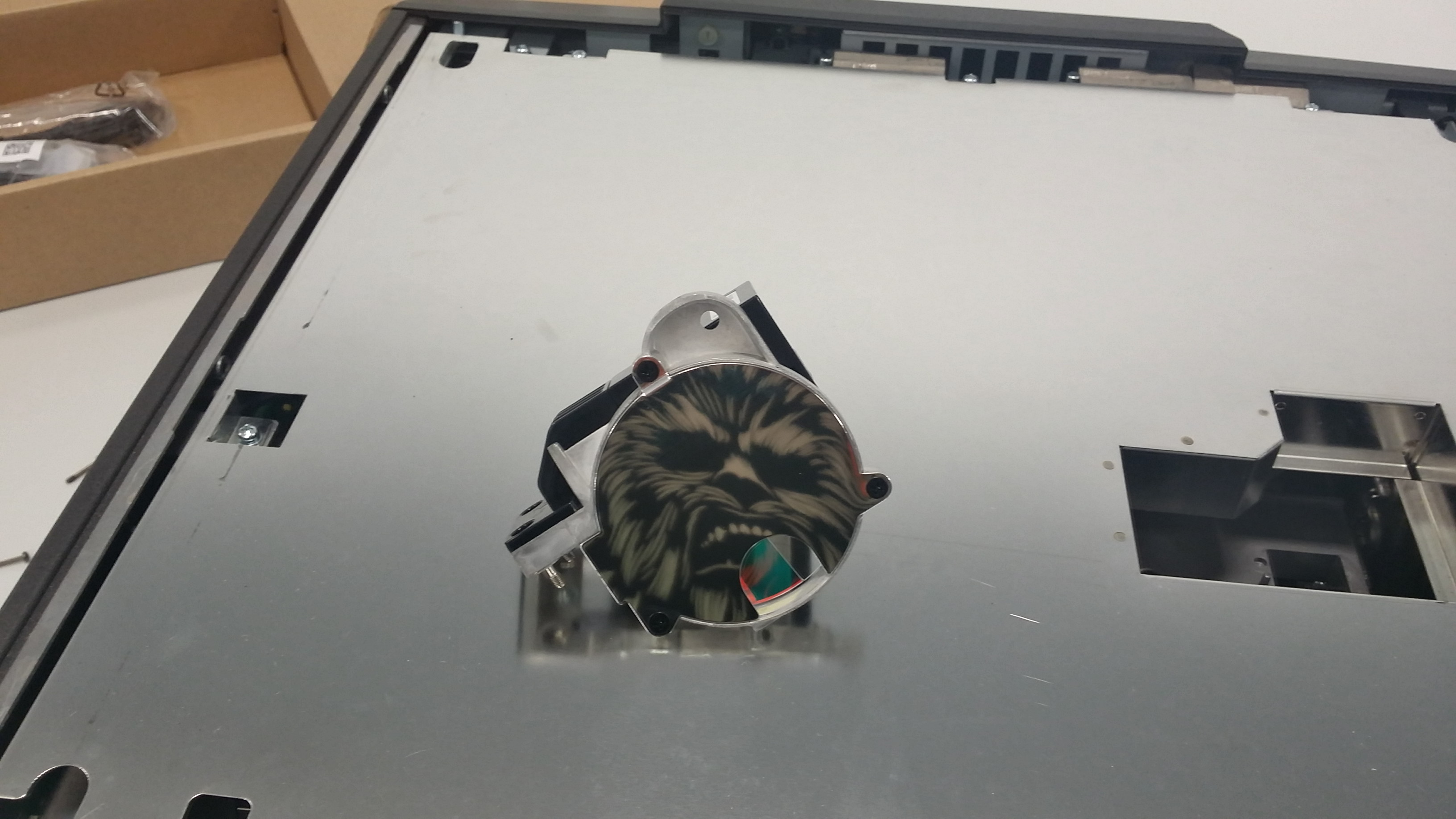
2. We are already inside. Unscrew the screws holding the color wheel (4 screws), then grab the metal element (marked green in the picture) and gently pull the module up.
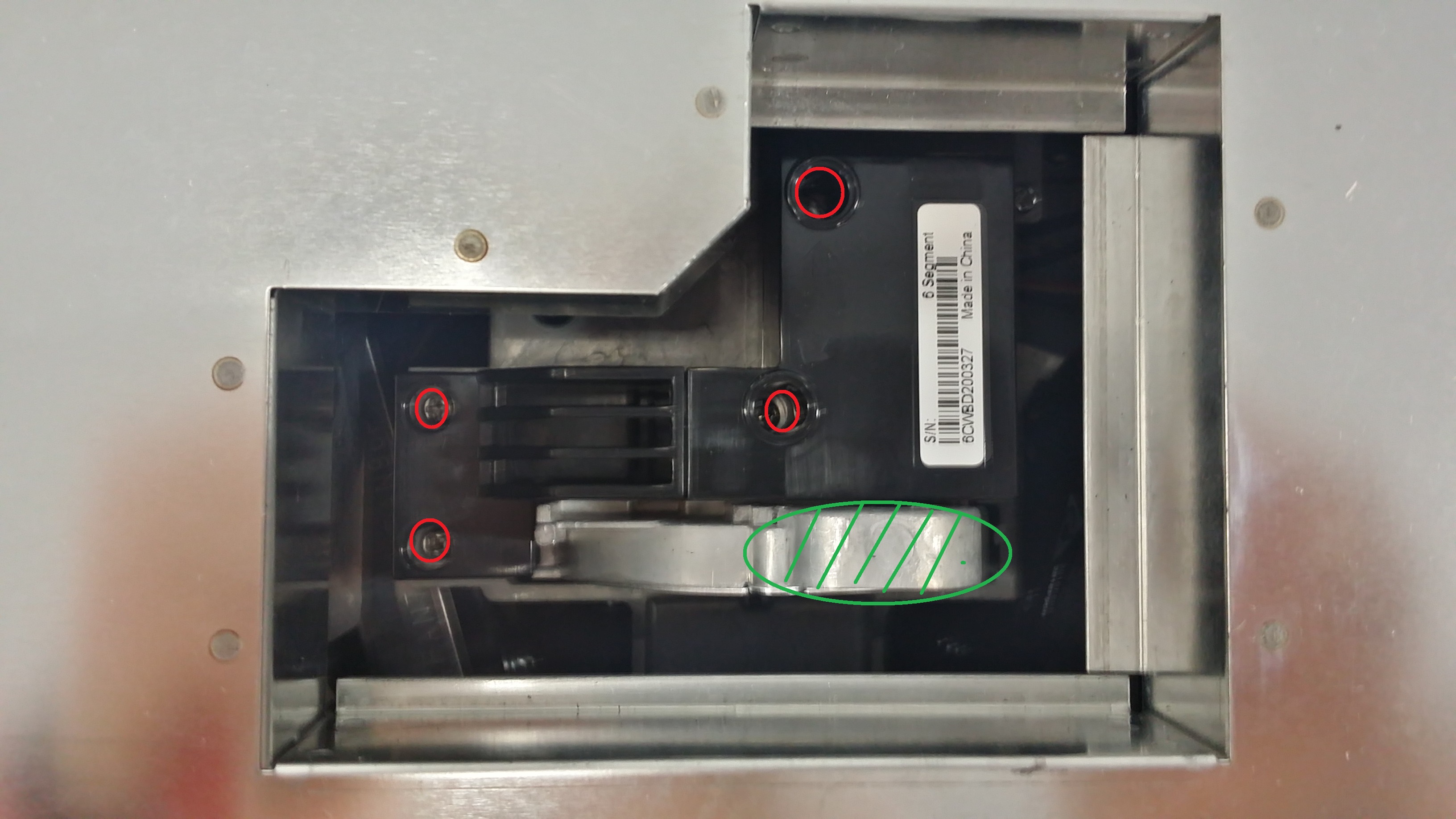
3. Unpack the color wheel you want to install and slide it into the same place. The color wheel should be pressed gently, you should hear a quiet click. Remember to tighten the screws!
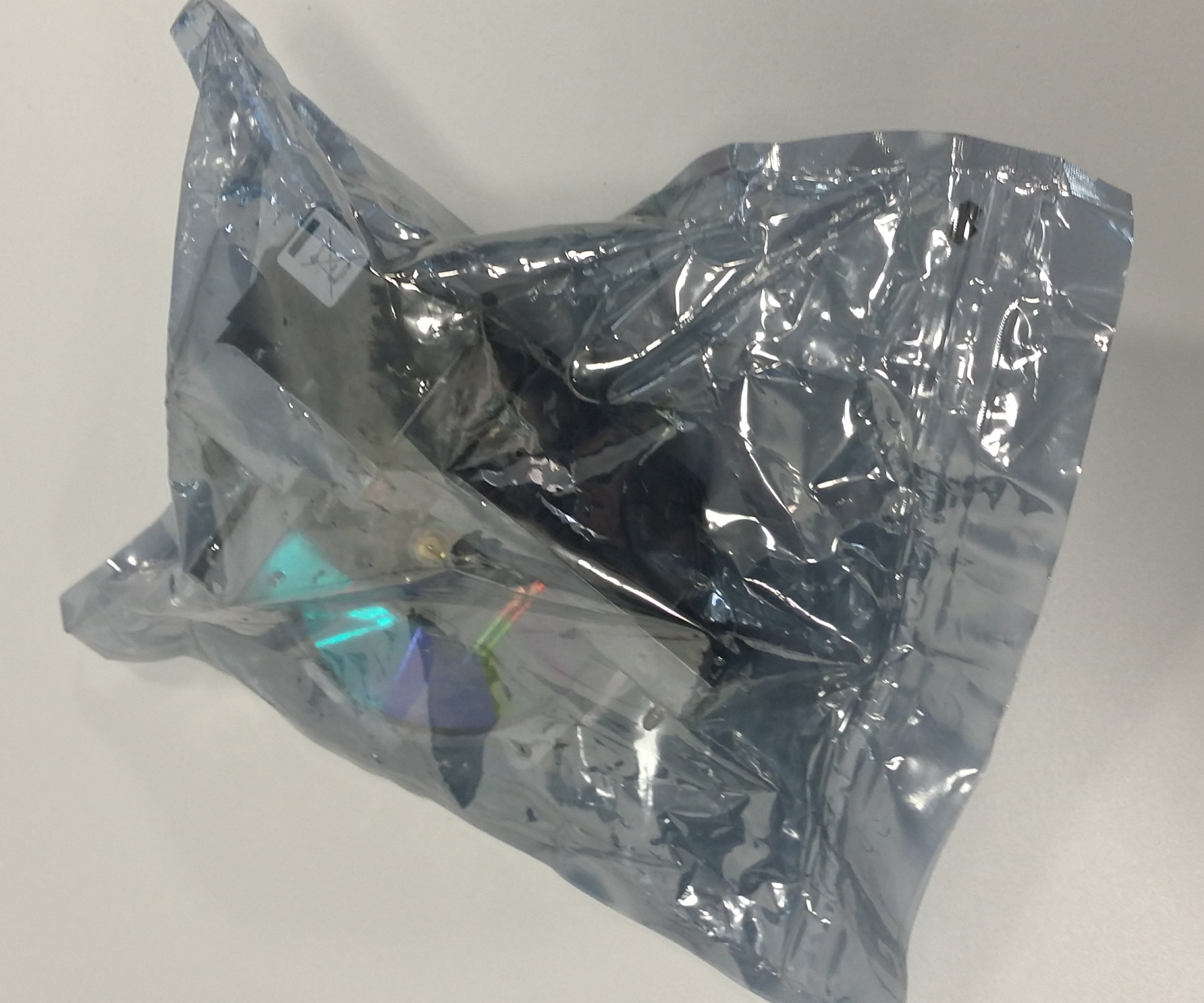
4. Screw the top cover back on (the projector will not start without the cover), connect the projector to power and enjoy high brightness or colors – depending on the installed color wheel.
To sum up – the process of replacing the color wheel is not complicated and at the same time it is an advantage of Vivitek projectors, which allows for even better personalization of image settings. From our experience, the image has the best quality-to-brightness ratio when we use the default color wheel and the highest brightness. Although we can confirm that the optional wheel actually makes the colors more vivid, the loss of brightness caused by the change is too large, which often causes the projector chosen for its light output not to meet expectations.
Finally, due to the upcoming premiere of Star Wars: