
Liquidity, style, and safety – Humly Room Display’s “check-in” function

Humly Room Display is the ideal interactive display for workplaces. It will help you find a booked room or guide you to one that is available immediately.
Have you ever entered a conference room and interrupted a meeting in progress? 70% of employees waste 15 minutes a day trying to find a room, while 20% of booked rooms remain empty.
Clear and transparent information saves time and energy at work. Humly Room Display is very simple to use and configure. The display shows the room’s occupancy status at a glance. If the room is occupied, you can easily find another available room.
We can book a room directly from the 8” display, from supported booking systems such as Microsoft Office 365, Exchange, Google Workspace, Nexudus, or from the Humly Reservations app, which can be integrated with Teams. Communication takes place via a real-time two-way connection.
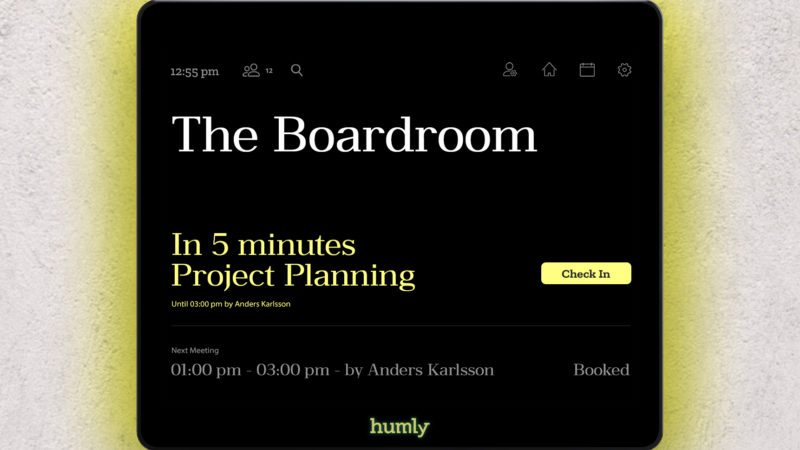
The check-in function significantly optimizes the use of conference rooms in the workplace by releasing them if no one shows up for the booking.
It works by confirming attendance at the meeting on the Humly Room Display.
This function can be enabled and customized in the Humly control panel. If enabled, the check-in button will appear 10 minutes before the meeting starts. The check-in button will remain on the screen for 5 to 30 minutes after the scheduled meeting start time, depending on the settings in the Humly Control Panel.
Contactless check-in is also available, allowing you to check into a meeting using an RFID card. Once the check-in period begins, simply tap your RFID card on the reader to check into the meeting.