
NovoPro beta tests

ViDiLeaks live:
we are fresh after testing the new wireless image transmission equipment from Vivitek – NovoPro. To clarify, we received a pre-production unit for testing, which does not correspond to the quality of the final product. Nevertheless, most features were already active and worked really well. Let’s start from the beginning: what is NovoPro?
In short, it is a module for receiving images transmitted wirelessly via Wi-Fi. The image source can be any device based on Windows, Android, iOS or MacOS, meaning: anything on which we can install the application. Up to 64 participants can connect to the module simultaneously, and the meeting administrator can easily manage the displayed image, e.g., by selecting the person whose presentation will appear on the screen.
I preempt potential questions: yes, the application is necessary to transmit the image and make full use of the capabilities offered by this solution. However, Vivitek has added so many additional features to the application that it is safe to say they turned this limitation into an advantage. Interestingly, the need to install the app can be “bypassed”, which I will explain in a moment.
First, it is worth checking out the short instructional video and a sample operation diagram of a Novo-type device – these materials concern the previous version of the device, but the general operating principle remains the same.
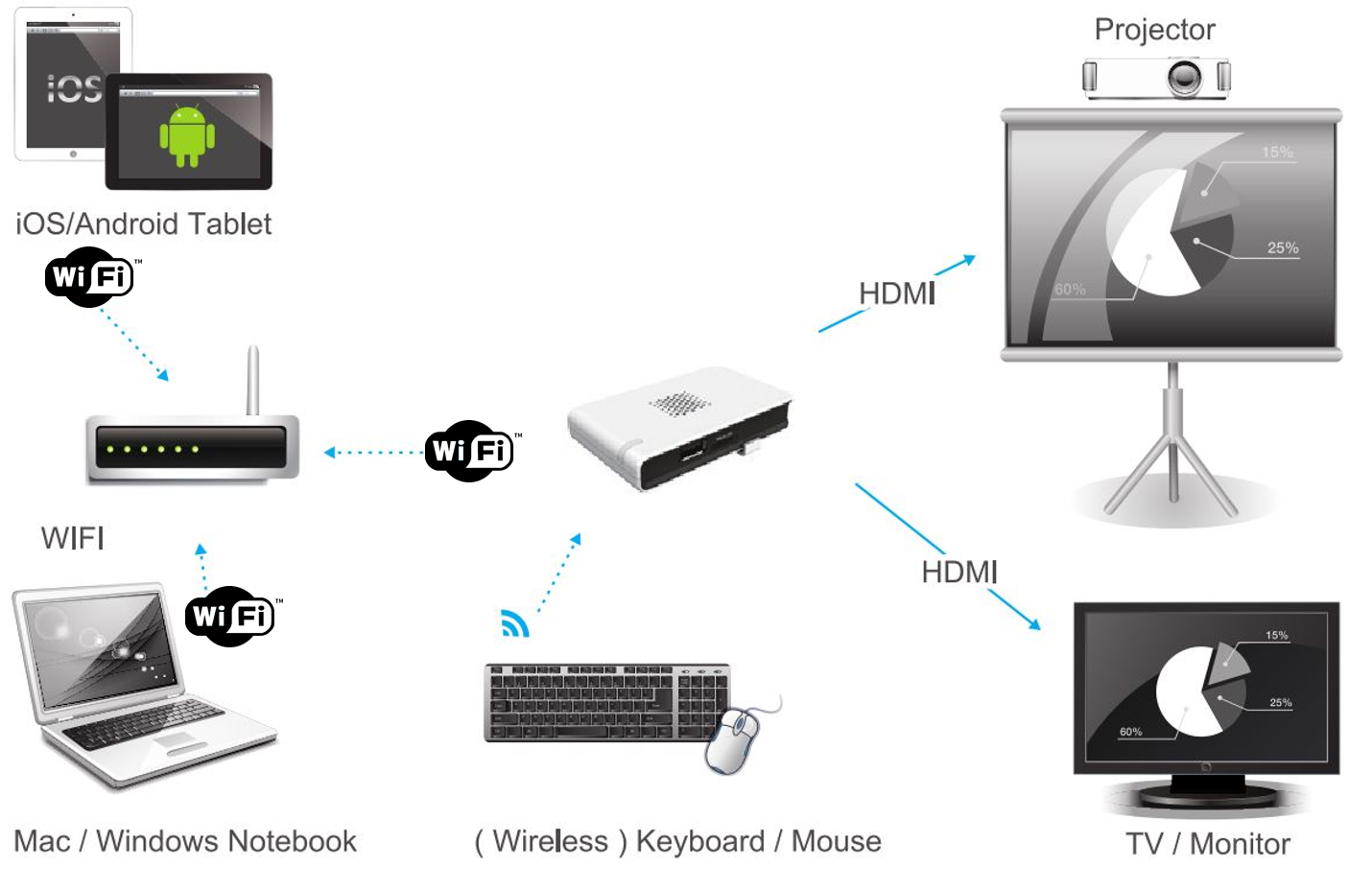
As you can see, Vivitek is no novice in this matter, as the first device of this type debuted in early 2015 and was called NovoConnect. It could be seen at the ISE 2015 trade fair in Amsterdam and during a series of presentations on ProAV products which we, as ViDiS, also organized in 2015. The general reception of the device was very positive, and the additional software features, such as the ability to organize a test or check attendance among participants during a presentation, enjoyed great interest. A drawback was the inability to transmit images at a full 30 frames per second (limitations of the applied technology), which made NovoConnect a device for presentations rather than, for example, playing movies. (PS. for wireless movie playback we have a solution from Vision).
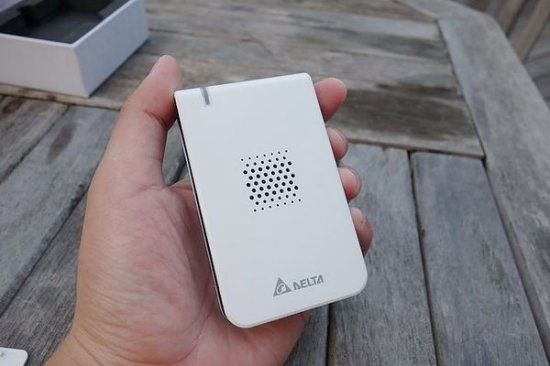
So how does NovoPro differ from NovoConnect?
When it comes to appearance – the color scheme changed from white to black, and the device itself is slightly larger and additionally features an RJ45 port for plugging into a wired network. In the earlier version, you needed a suitable adapter.
What’s new in terms of features? First of all, the popular Android desktop streaming mode has been added – Miracast and the ability to play FullHD movies at 30 frames per second. The first option was still inactive in our unit, but the second option was already active. How does it work? We find that it works surprisingly well!
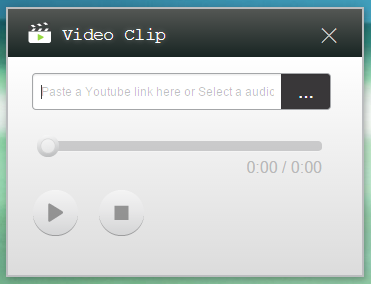
Until now, Novo-type devices had a problem with smooth high-resolution image transmission due to the use of standard wireless networks for transmission. What method did Vivitek use to bypass this limitation? Ordinary desktop streaming takes place just like before – with a slight delay and at an incomplete frame rate. However, when we want to play a movie, we must use a special player built into the NovoDesktop Streamer application. It looks like this player synchronizes with the device and properly buffers the 1080p material on it, so that it is displayed at a full 30 frames per second. The quality of the transmitted image is very good, and the fluidity is much higher than in the classic streaming mode. The downside, however, is the limitation due to the number of supported video formats, or the presence on YouTube (yes, you can point to a YT link).
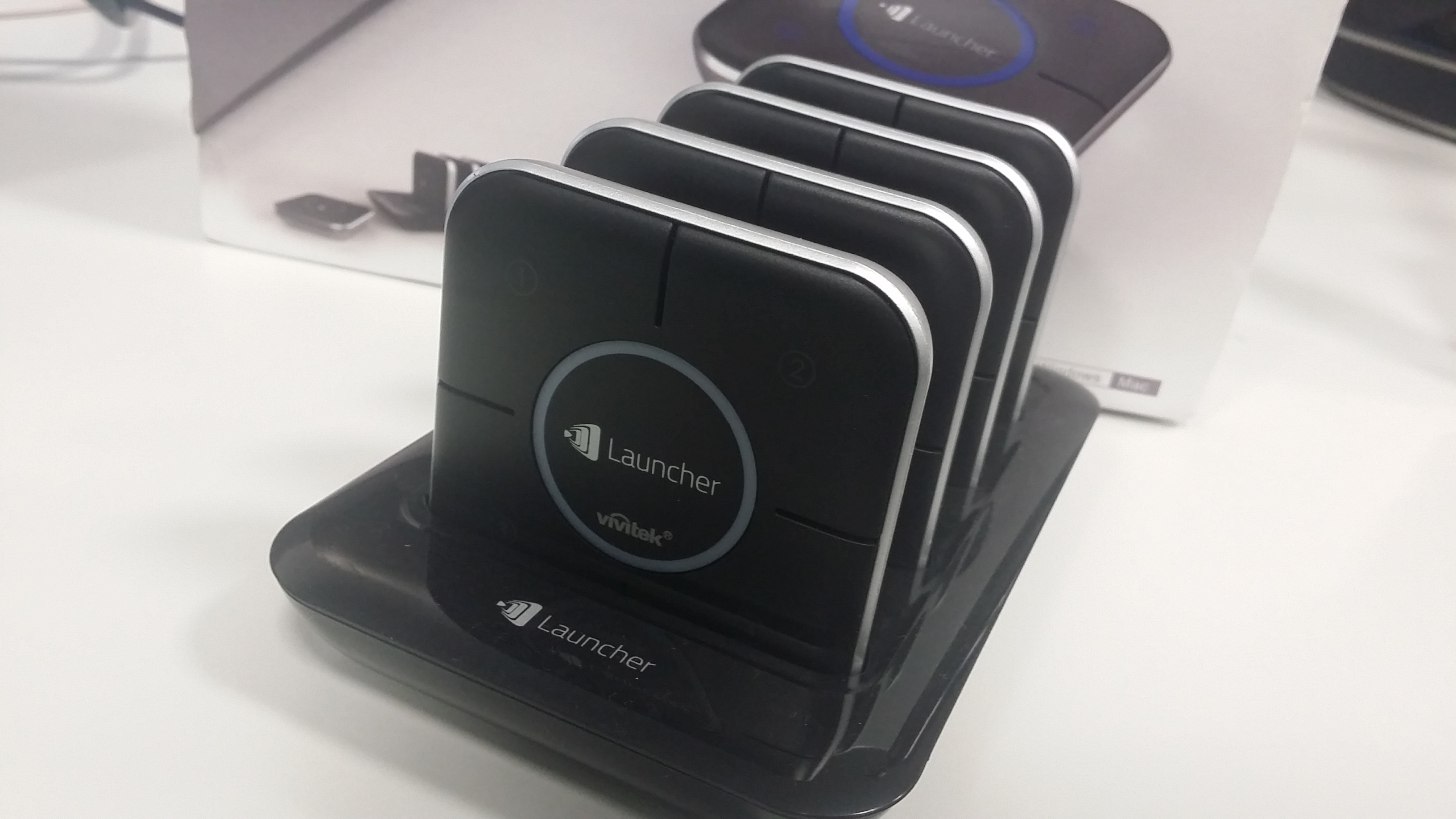
Another difference is the additional accessories. As I mentioned at the beginning – an application is necessary to transmit the image, which can mean that, for example, in a corporate environment such a solution might not work (the classic case of a system secured against installing third-party applications). However, Vivitek made it possible to bypass this limitation with the NovoLauncher product. How does it work? It is a separate USB-connected module, a kind of transmitter, which is detected by the system as a removable drive with the pre-installed Novo Desktop Streamer application. Thus, to transmit an image, all you need to do is launch the application directly from the drive, connect to the appropriate Wi-Fi network, and start transmission. What’s more, NovoLauncher has physical buttons on the casing so that we can, for example, bring our screen to the main desktop and/or display the image in one of four windows.
For those who care about appearance – here it is impeccable, and a set of four NovoLauncher units is presented on an elegant base. In operation, it works exactly as it should – switching via physical buttons works flawlessly. We can update the application, and additionally, after connecting a computer, we can use the free disk space to upload, for example, a company presentation or other materials.
Overall, it allows us to state that we are dealing with a very interesting alternative to advanced, but also very expensive conference image transmission systems, such as Barco ClickShare or Kramer Via Connect. NovoPro offers very similar functionality at a lower price (this has not yet been finalized).

Since an important part of the NovoPro system are applications – Novo Desktop Streamer on Windows, Chromebook and Mac or NovoPresenter on mobile devices, it is also worth mentioning the quality and ergonomics of use.
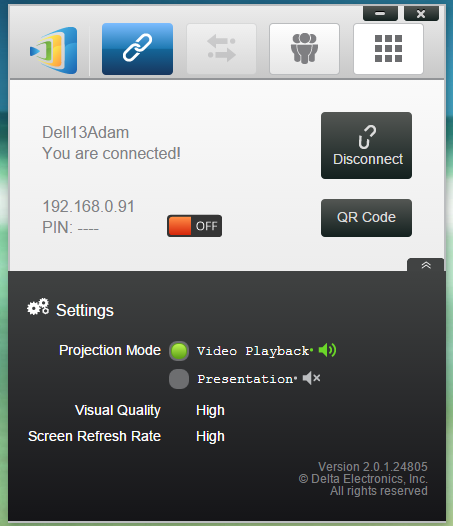
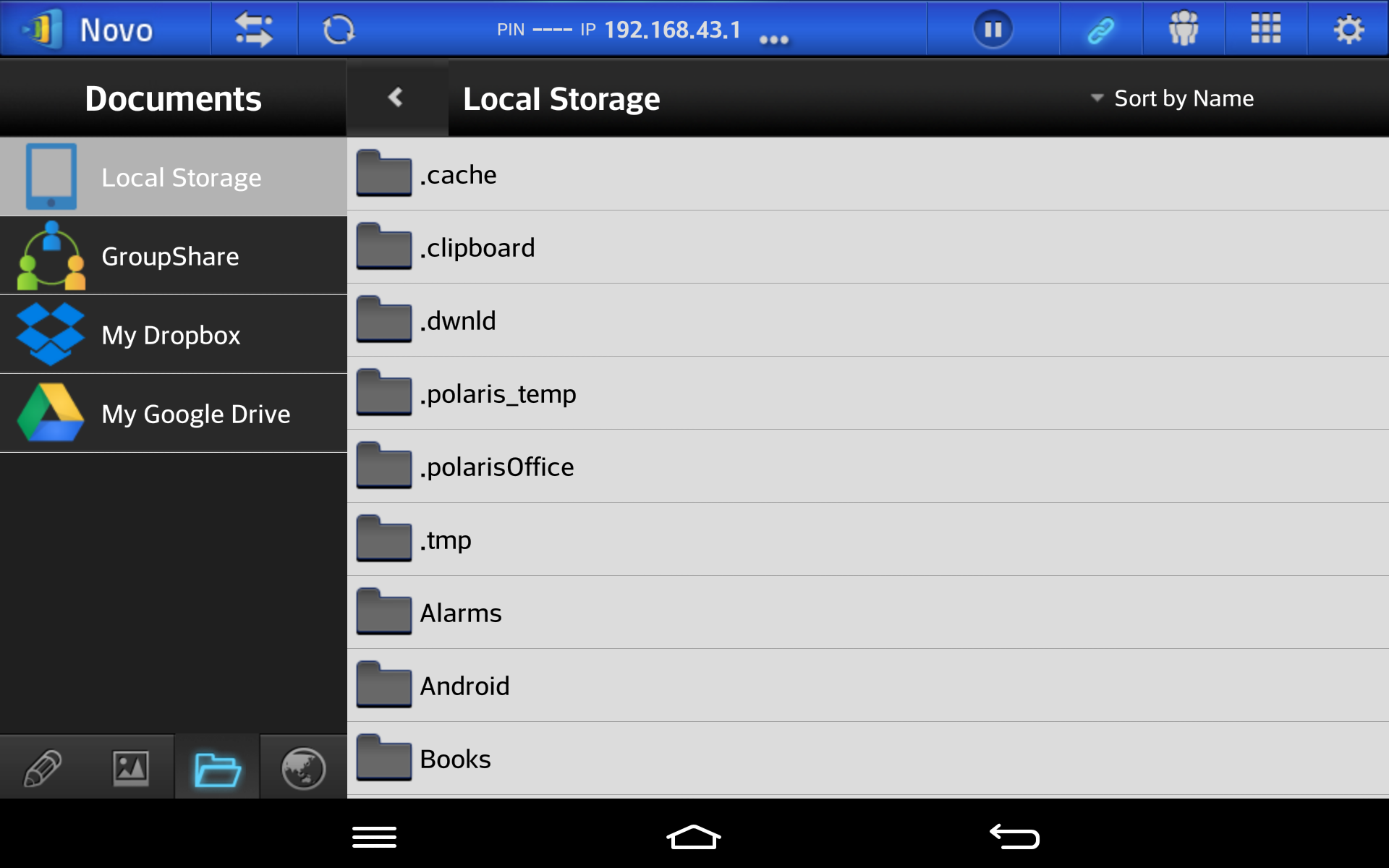
It’s good – we gladly state this fact and although the application is not localized, the interface is really user-friendly and allows for a quick connection to a projector or monitor. Individual functions are clearly and lucidly described, which means that almost every user will not have major problems. Desktop Streamer on PC allows desktop streaming, so after starting the connection, the application simply runs in the background. In the Android version, we tested only application streaming, but it itself allows you to meet most needs – you can play a movie from the phone’s memory, play photos, MS Office files, browse internet resources, or turn on whiteboard mode and make notes remotely. We also have access to cloud files that we keep in Dropbox or Google Drive. Probably the most annoying problem was correctly scanning QR codes, which are used here for quick connection – which we diligently reported to the manufacturer. Of course, we were also disappointed by the inability to test mirroring from mobile devices, but we humbly accepted the fact that this feature is undergoing final polishing.
An interesting feature is the application for Windows and Mac – NovoScreenote, which allows you to make notes on any displayed image. You can test the application by downloading it from the Vivitek website.
It is also important that Vivitek is constantly improving all the mentioned applications and providing free updates. Thus, we do not have to worry that we will miss new features that will be included in subsequent versions of the application.
To summarize: the tests went successfully and the premiere planned for Q1 2016 is awaited by us with great impatience. Clearly, a step forward has been made here compared to NovoConnect, especially thanks to the smooth high-resolution streaming function and Miracast capability. The changed design and professional-looking NovoLauncher dongles suggest a bold attempt to conquer the business environment – especially large conference rooms. While NovoConnect, which will be available in the offer in parallel – will be a more educational solution.