
Welcome to the club – Joan Meeting Room Assistant

A new product has recently appeared in the ViDiS offer: Joan Meeting Room Assistant. As the name suggests, we are dealing with a conference room booking system. What makes Joan stand out? Read on!

Who is the manufacturer?
Joan is manufactured by the Visionect corporation, which specializes in creating digital signage solutions based on e-ink technology. Where do we know this technology from? Well, most so-called premium ebook readers used for reading books in electronic formats operate based on this solution. The most popular are Amazon Kindle, Nook, or Kobo. E-ink is distinguished primarily by negligible power consumption and very good contrast. The display consumes energy only when changing content, which significantly extends battery life – even up to several months.

Visionect promotes itself as an innovator in the development of a new generation of digital signage, based on technologies with low power consumption, low installation costs, and respect for the natural environment. The numbers confirm this – in over 7 years of presence, Visionect has taken over more than 95% of the modern digital signage market based on e-ink technology (source: Visionect).
It is worth taking a look at the largest completed projects – including self-sufficient bus stops in London. More on the Visionect website.
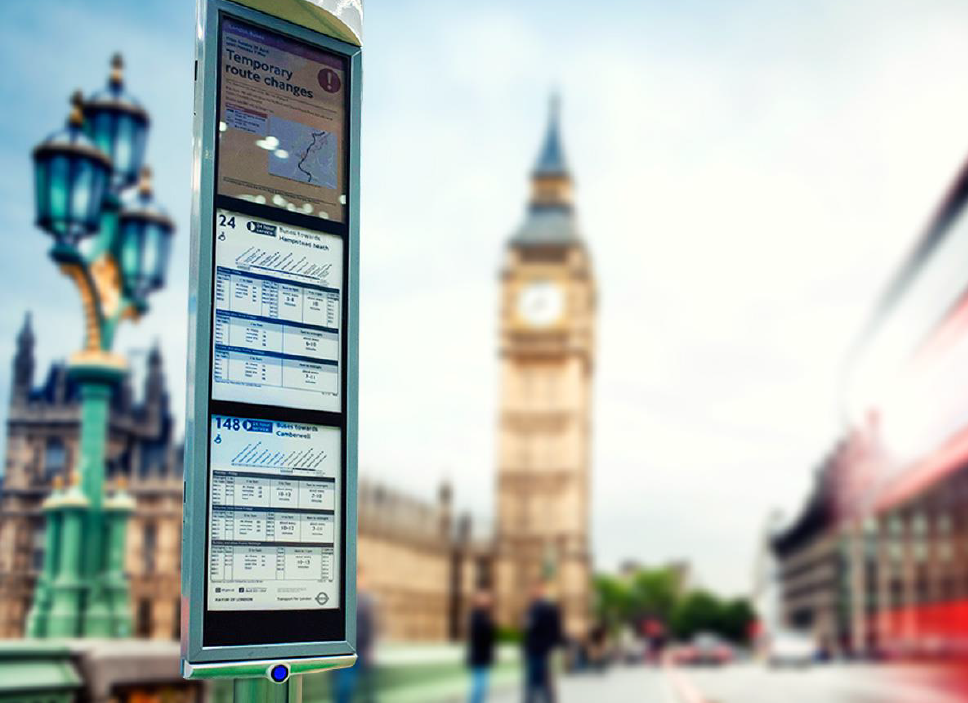
Also interesting is the system of self-sufficient and synchronizing traffic signs made for the city of Sydney, Australia. For those thirsty for more details, I refer you to the Digital Trends website.

Visionect solutions can also be found in the form of price totems at gas stations, electronic labels in stores, or digital menus in restaurants. Interestingly, this manufacturer is one of the first to start working on color e-ink displays. This allows us to guess in which direction the next generation of Joan will head.
What is Joan?

Joan Meeting Room Assistant is an innovative approach to room booking management. The operating principle of Joan is similar to the Evoko Room Manager described on our website.
Quoting previous statements:
When the number of conference rooms in a company exceeds three, real chaos begins. The solution to this problem is conference room booking systems. They allow, above all, for clear signaling of room occupancy and management of the room booking schedule (calendar).
…and that is exactly the role Joan Meeting Room Assistant plays. But thanks to several important features, it is difficult to classify Joan into the same category of equipment as Evoko. Why?
Battery
Thanks to the built-in battery, Wi-Fi support, and a display based on energy-saving e-ink technology, Joan is a completely wireless solution.
The device is completely wireless and does not require a permanent power connection!
Thanks to a 5000mAh battery and energy-saving display technology, Joan can work for up to 3 months without charging. The device just needs to be mounted on the wall – no electrical or LAN installation is required.
Up to 3 months without charging, then just plug the devices in for the night or weekend.
Display
In addition to being made with E-Ink (electronic paper) technology, the Joan display is also distinguished by very good readability (even in sunlight) and wide viewing angles (180°).
Parameters of the E-Ink ® Pearl display:
- 6” diagonal
- 1024×768 resolution
- 16 shades of gray
- high contrast
- low energy consumption
- capacitive touch technology
Installation
Another issue is wall mounting. Extremely user-friendly. It does not require drilling and allows for easy removal of the device for relocation or battery charging. All thanks to a magnetic mount.
Nothing stands in the way of mounting the device on a glass surface, for example
One to rule them all – Joan portal
When the devices require charging, the administrator will be informed of this need by email. Charging is done using a standard USB – MicroUSB cable. You can also use chargers used in most mobile phones.
Room booking can be done using a program or calendar (e.g., Outlook) or directly at the touch panel.
Joan also allows you to view the status of rooms (battery charge level, network connection, occupancy) using a convenient dashboard available via a browser from anywhere with internet access!
The so-called Joan Experience also includes the Joan portal, which allows for convenient device management, operational monitoring, and in the future, report generation. All from any point with an internet connection.
Joan also provides support for the most commonly used office suites – making it easy to integrate these devices into existing infrastructure.
Supported calendar / office suite types:
- Office 365
- Exchange 2010/2013
- Google Apps for Business
- iCalendar
Unboxing
What’s in the box? We invite you to watch the unboxing material, where you will see what Joan looks like fresh out of the box.
How to configure the device?
Every booking system requires configuration. How does it work in Joan? Configuration is required on the device side and the Joan portal, which is used to manage multiple devices. How to perform the configuration? Nothing simpler – we invite you to watch our material.
How to add an Office365 room to the Joan database?
The Office365 suite allows for extremely simple creation of resource accounts, e.g., conference rooms. Assigning a specific account to a conference room will allow access to room booking from Outlook, the calendar, or the Joan panel itself. How to assign a room to the Joan control panel? The answer is below.
If you have any additional questions – please contact us.